Join our Discord
Wiki
Land & World Systems
🌏Navigating the Server🌏
- Tutorial: When you first enter the server, you spawn in the tutorial area. You can return at any time from /spawn or directly with /warp tutorial.
- Spawn: Return to spawn at any time with /spawn.
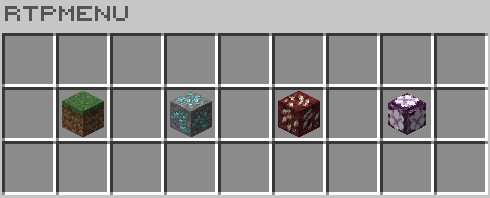
- Overworld: Access using the portal at spawn or by using /rtp to open the gui and clicking on the grass block icon. This is where you build your base, farms, and shops.
- Nether: You will need to access this world the same way you access it in Vanilla Minecraft.
- End: You will need to access this world the same way you access it in Vanilla Minecraft.
- Mine World: This is where you collect and mine world resources. Access using the portal at spawn or by using /rtp to open the gui and clicking on the diamond ore icon. This world refreshes the first of the month.
- Mine Nether: This is where you collect and mine nether resources. Access using the portal at spawn or by using /rtp to open the gui and clicking on the quartz ore icon. This world refreshes the first of the month.
- Mine End: This is where you collect and mine end resources. Access using the portal at spawn or by using /rtp to open the gui and clicking on the end stone icon. This world refreshes the first of the month.
- Home: When you lay your claim, you will need to create a home teleport to return to it. Use /sethome [homename] to create the teleport, /renamehome [old] [new] to rename, /delhome [homename] to delete, and /home [homename] to teleport. When you have multiple homes, you can use /homes to see a list of homes you created.
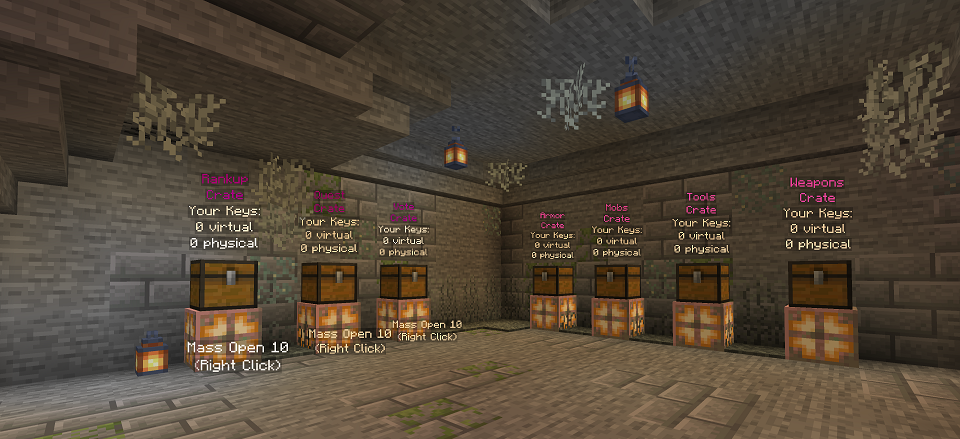
- Crates: To redeem your crate keys, visit the crates at /spawn or directly with /warp crates.
- Heirloom: To purchase seeds, obtain a free reference book, or for help with Heirloom farming and cooking, visit /spawn or directly with /warp heirloom.
- Pinata: When a vote party is reached with 50 server-wide votes, you will want to teleport here to participate in the piñata event. Visit from /spawn or directly with /warp piñata.
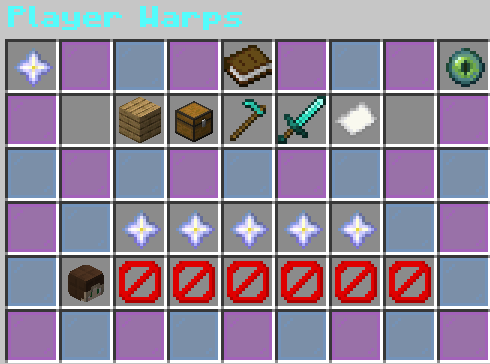
- Player Shops: To access shops set up by other players, use /pwarp and click on “Shop Warps” or the chest icon. When you mouse over a shop icon, you will see the name of the warp, who manages it, a description, ratings, and other information. Rate their shop with /pw rate [name] [rate] [description]
- Player Farms: To access farms set up by other players, use /pwarp and click on “Farm Warps” or the diamond hoe icon. When you mouse over a farm icon, you will see the name of the warp, who manages it, a description, ratings, and other information. Rate their farm with /pw rate [warpname] [rate] [description]
- Player Homes: Some players will welcome you to visit their home. Access using /pwarp and click on “House Warps” or the oak plank icon. Rank their home with /pw rate [warpname] [rate] [description]
- PVP Areas: Players can create a claim for PvP. Access using /pwarp and click on the “PvP Warps” or the diamond sword icon. Rank their PvP area with /pw rate [warpname] [rate] [description]
- Teleport to Player: To teleport to another player, you must request the teleport with /tpa [playername]. Please be respectful if they deny your request.
- Teleport a Player to You: To teleport a player to you, you must request the teleport with /tpahere [playername]. Please be respectful if they deny your request.
- Back: After you warp, teleport, or die, you can return to your previous location with /back. Please note that it only saves your last location for /back and it does not save your last location if you disconnect.
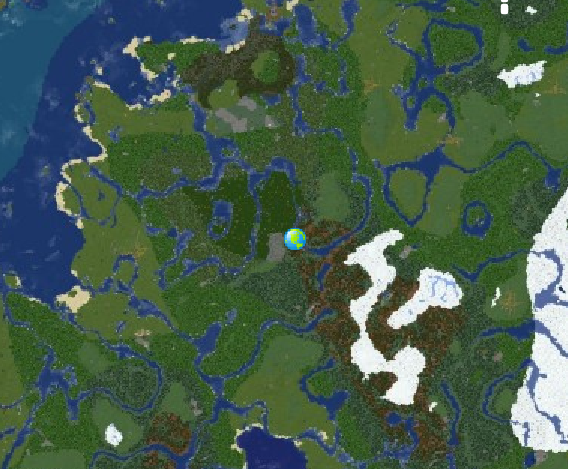
For a full view of the Overworld and existing claims, visit our Adventurous Hearts DynMap.
🚩Land Claim System🚩
To protect your build from theft or griefing, you need to create your land and claim chunks to it. Your land has a default set of roles that you can modify in the menu. Any visitor has the "untrusted" role by default, so they cannot break or place blocks, drop or pickup items, interact with doors or chests, and various other actions
Areas: You can divide your land into areas for different purposes. Each area has its own player management, natural flags, and roles management. For example, you could designate an area of your land for public farming. Untrusted players would be allowed to harvest and plant only in that area. Another example could involve a mob farm, which is the only area in your land that allows monster spawning.
Player Management: This is where you can manage who is a member, who is banned, and who has not responded to an invite. You can also see who, in relation to your land, is online.
Level: This is currently not enabled.
Inbox: You can view various messages, including actions taken (such as when a land was created and when a player joined). You can also create a post for your members to read.
Statistics: This is just informational. It tells you the general location of the land, the size in chunks, and how many members there are.
Natural Flags: Customize what can or cannot happen in your claim. This includes animal spawning, monster spawning, entity griefing,
Roles: By default, the roles available include: Owner, Tenant, Admin, Member, Nation, Ally, and Untrusted. You can create a new role for your land or modify and existing role. Each role has a few settings that you can customize. You can also customize the Action Flags (what the player can or cannot do) and Management Flags (how a player can help manage the land).
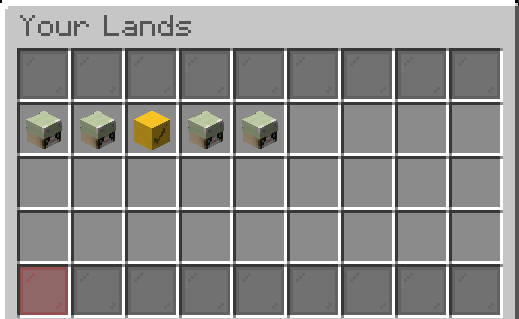
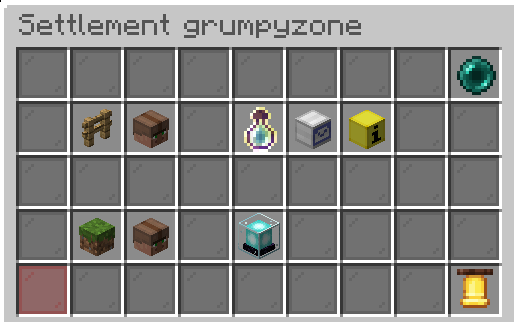
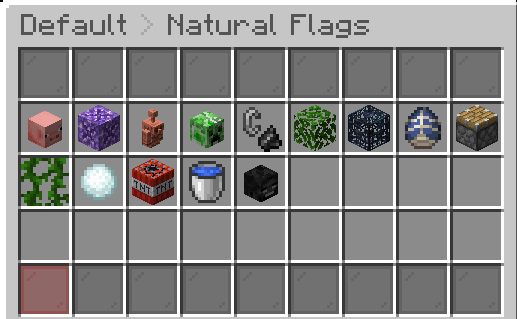
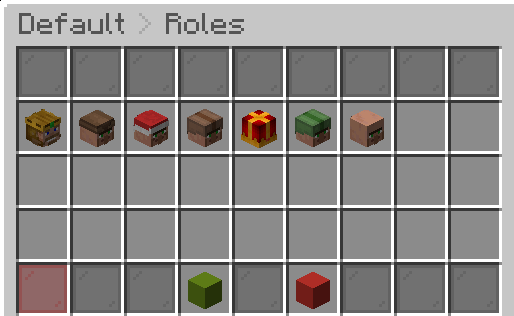
The customization can seem overwhelming, but the default settings help you get started quickly. First, you want to create your land. Second, make sure you are in edit mode for the land you just created. Third, start claiming chunks; it will be added to the claim you are in edit mode for.
To customize the name of your land though the menu GUI or by using commands. You can use Minecraft colors or hex codes and/or spaces. You are limited to 80 characters, including the color codes. Note that the hex code format is <#AABBCC>. An example name that would go in the input box is: <#F54927>Orange <#22E546>Valley which would display as Orange Valley.
🪦Grave Stones🪦
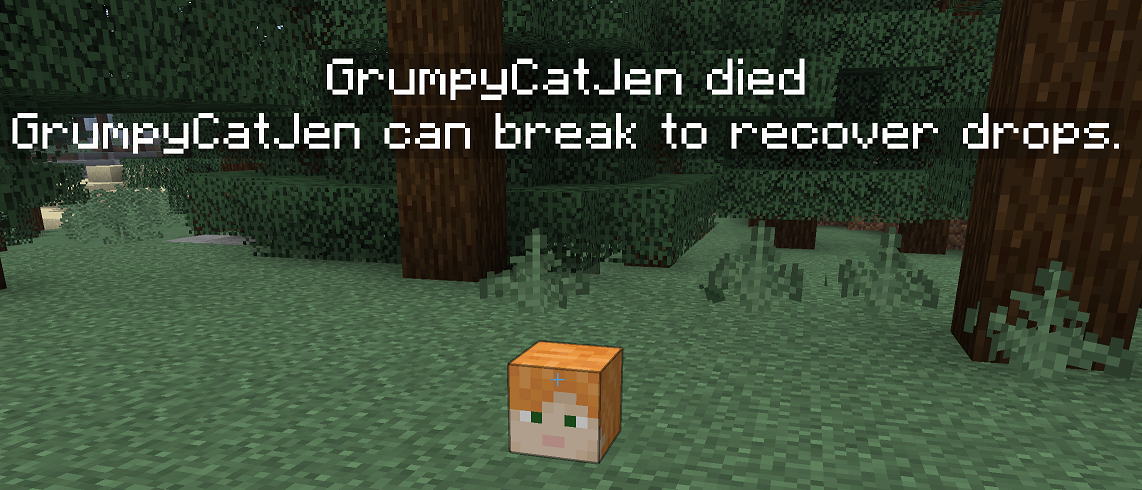
If you die in survival, you will leave behind a grave stone with your player head. You can immediately do /back after respawning to return to where you died. The coordinates of your grave stone will also be recorded in chat. Hold left-click to break the grave stone. Your items and armor will return to your inventory directly. If you log off or lose the coordinates of your tombstone(s), you can run the command /gravestonesplus graves to see them in chat. You can also obtain a temporary compass with /gravestonesplus compass to find your last grave stone. This can be useful if the grave stone did not spawn exactly where you expected it (due to safety). Grave stones will not spawn if your inventory is empty.
It is possible to have multiple tombstones on the server, but it will max out at 20. Be careful, because if you leave behind a tombstone in one of the mine worlds, you could lose it when those worlds reset!
●-----------------------------------------------------------------------------------------------------------------------------------------------------●
Adventure & Gameplay
📜Quests📜
Quests provide a method for earning money and rewards by completing specific tasks. They are organized into categories and have quest lines, where each subsequent quest gets more challenging. Quest lines start tracking automatically when you join the server and progress when you complete quests. Browse all quests, categories, and progress with /quests. You can also see quest progress with /quests started. TIP: If a quest isn't progressing as expected, some objectives may not recognize specific tools or enchanted items. Additionally, stacked mobs may only be counted as one mob.
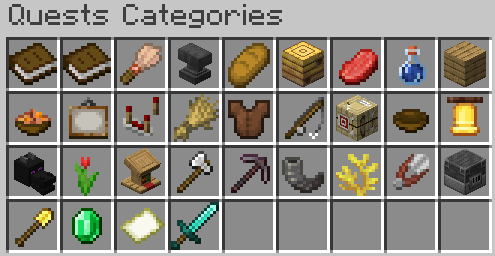
- Tutorial: These quests involve learning some basics of the server. With these quests, you can complete your first rank up!
- Command: These quests are a continuation of the tutorial. You will learn about more features of the server that you unlock as you continue to rank up.
- Archeologist: Dig and brush your way through these quests.
- Baker: Cakes, pumpkin pies, and bread!
- Beekeeper: This is all about the bees, hives, and honey!
- Blacksmith: Craft and repair various weapons and tools.
- Butcher: The only way to obtain raw meats in the wild.
- Cleric: Brew various potions using the glass bottles you design (or buy, up to you).
- Contractor: For those you enjoy building, place various blocks of concrete, stone, wood planks, concrete, terracotta, slabs, stairs, and more!
- Cook: Use your culinary skills for soups, stews, main and side dishes.
- Decorator: After you build, decorate with furniture, carpet, statues, lights, fences, shelves, signs, storage boxes, doors, and more!
- Engineer: Craft all the gadgets you need, like rails, minecarts, and repeaters.
- Farmer: Harvest your crops and breed your farm animals.
- Fashionista: Craft and design various pieces of armor.
- Fisherman: Travel like a pirate and catch all the fish you can!
- Fletcher: Craft and test all your projectile weapons.
- Food Critic: Not all at once, consume mass amounts of minecraft food.
- Friend: Interact with your friends by using the social commands.
- Gamer: Play pocket games and earn player points when you reach the minimum score!
- Gardener: Decorate your garden and landscape with bushes, leaves, grass, flowers, and other flora!
- Librarian: Craft and enchant various books.
- Lumberjack: Chop down all the trees!
- Miner: Do what the dwarf does best!
- Poacher: The worst of the worst, killing only for the resources!
- Scuba: Just keep swimming and collecting beautiful coral pieces.
- Shepherd: Take good care of your flock and collect a rainbow of wool.
- Smelter: Help out the blacksmith and smelt some ores!
- Terraformer: Modify your landscape with dirt, stone, sand, and other natural blocks.
- Trader: Trade with villagers and barter with piglins.
- Traveler: Walk, run, and ride your way around the world!
- Warrior: Like a hero, destroy all the evil mobs, from creepers to dragons!
🐟Blep Fishing🐟
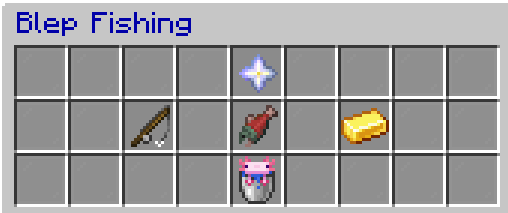
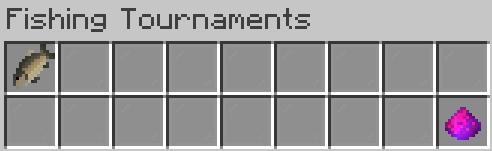
Experience Minecraft fishing like you have never have before! Catch new types of fish, find treasure, and challenge yourself in the leaderboards and tournaments with /bf. Earn more money by selling your fish with /bf sell or /bf sellall. Active tournaments are displayed in a boss bar, and you can toggle it off with /bf togglebossbar.
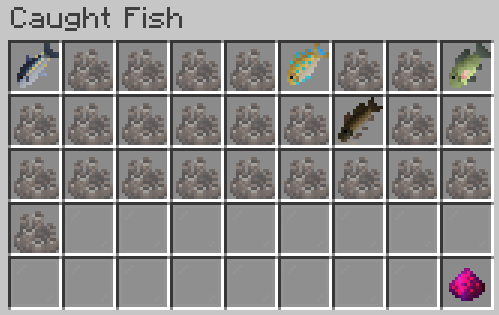
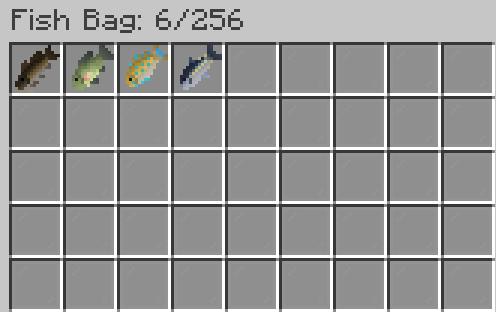
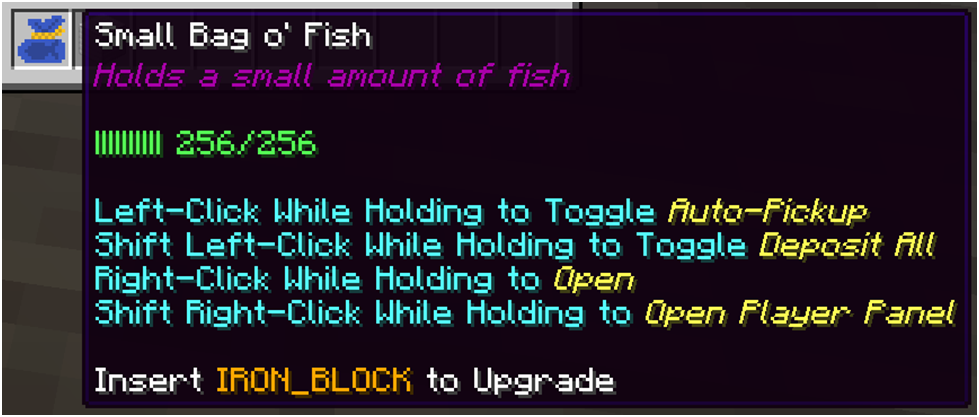
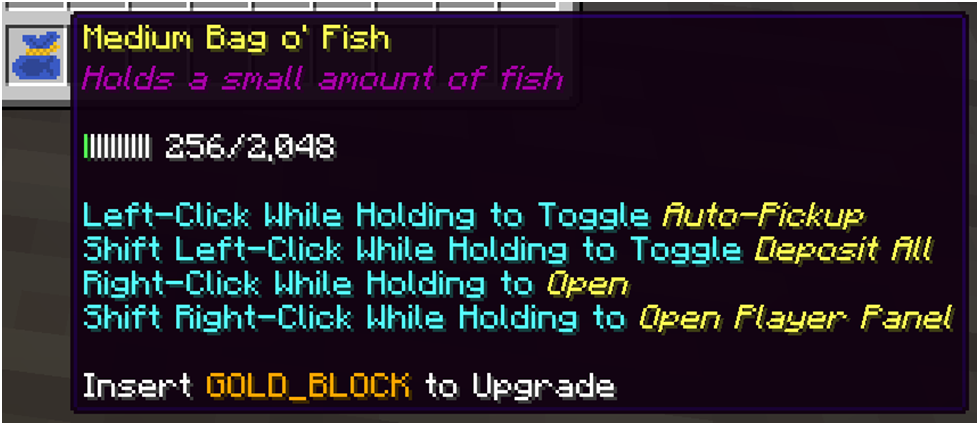
Store your unique fish in a Fish bag, crafted with 3 string, 2 leather, and 1 custom fish. You can upgrade your Fish Bag from Small to Medium to Large at any time; the bag does not need to be full of fish. With the upgrade material in your inventory, hold the bag in your left hand and shift left-click the ground or empty block. It will consume the upgrade material.

You can collect compass pieces and combine in a crafting table to create the Compass to the All Blue. It is an area in the overworld where any fish (no matter the biome, weather, or time) can be caught and are 10% larger. With great reward comes great risk; you may be attacked by an ocean based mob with every catch!
🌽Heirloom Farming & Cooking🌽
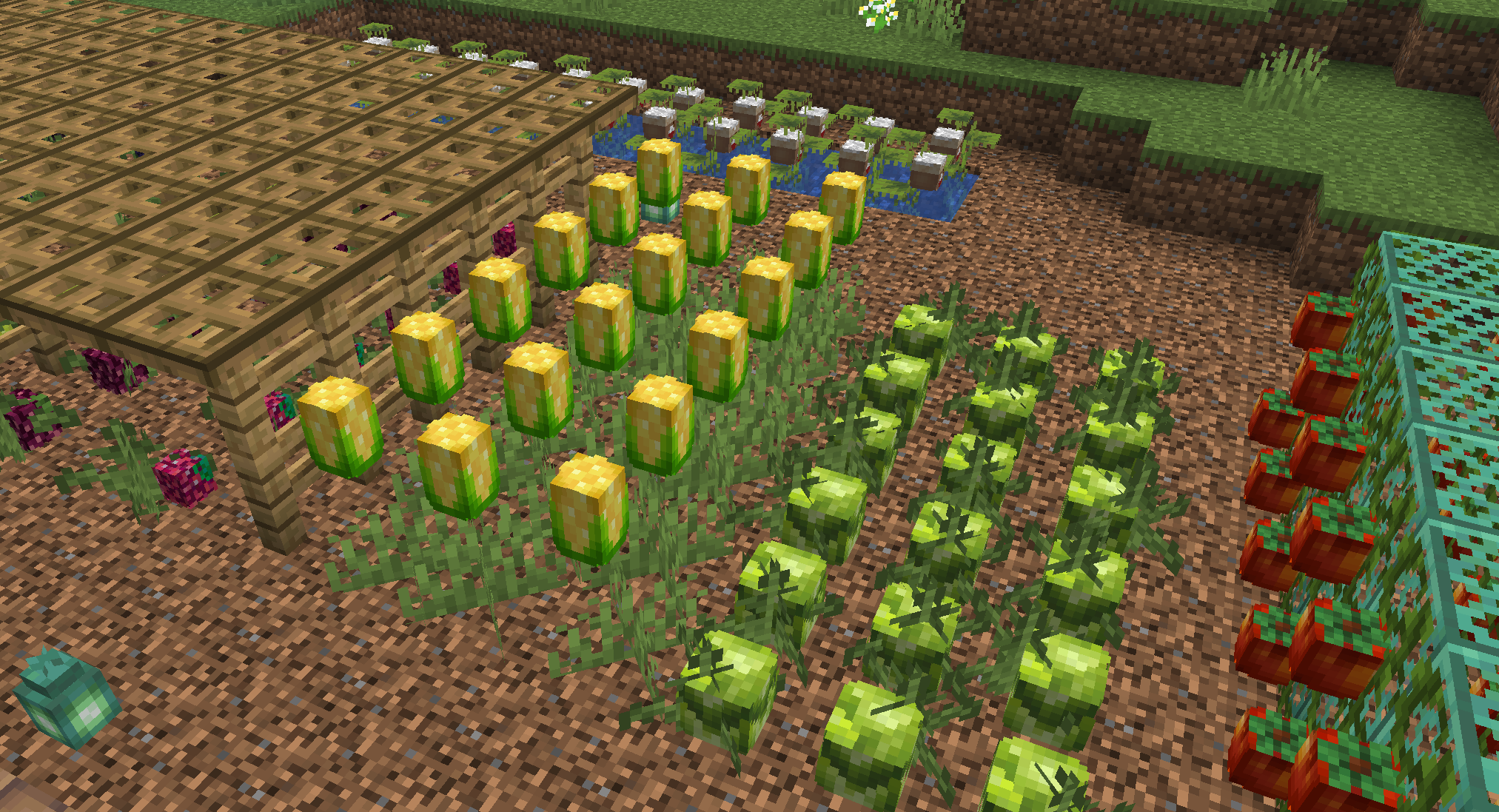
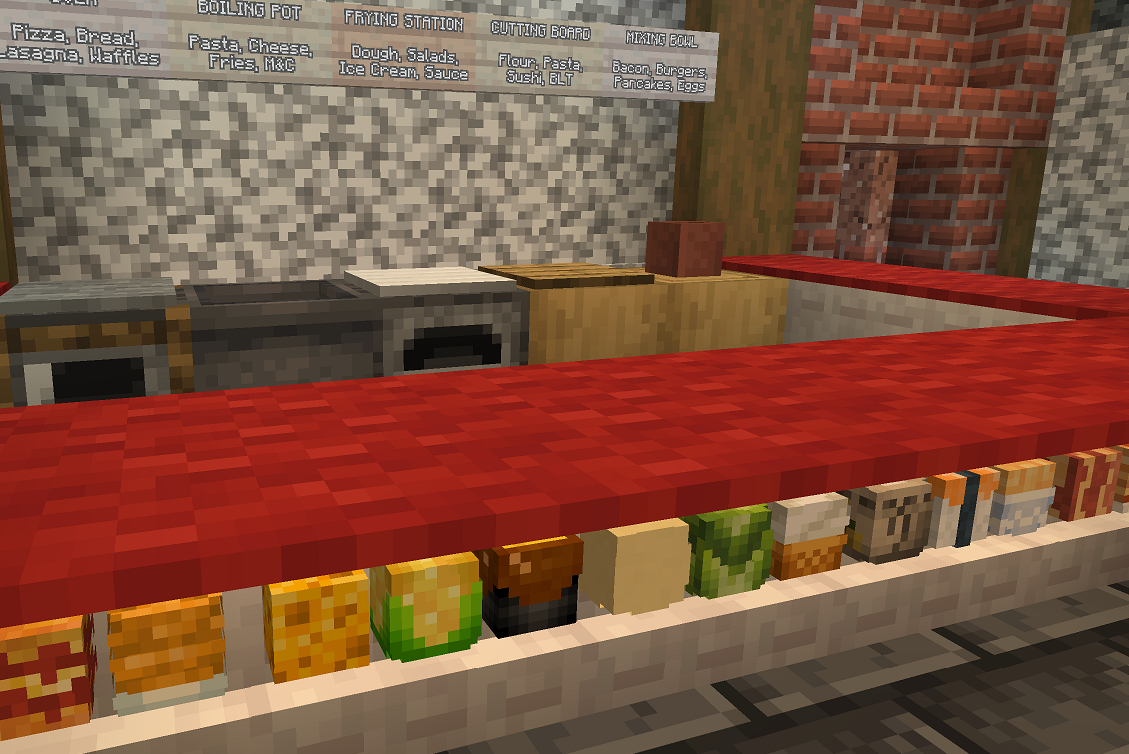
Expand your farm with new crops such as corn, tomatoes, rice, and grapes! Diversify your kitchen with new cooking stations and craft nourishing foods such as pizza, tomato soup, fish & chips, fruit salad, and tacos. Indulge in treats like popcorn, chocolate, and doughnuts. You could even become a vintner! To help guide you, grab your free cookbook with /heirloom cookbook. Alternatively, you can access valuable information about the farming and cooking in a GUI form with /heirloom recipes
🐉Mythical Mobs🐉
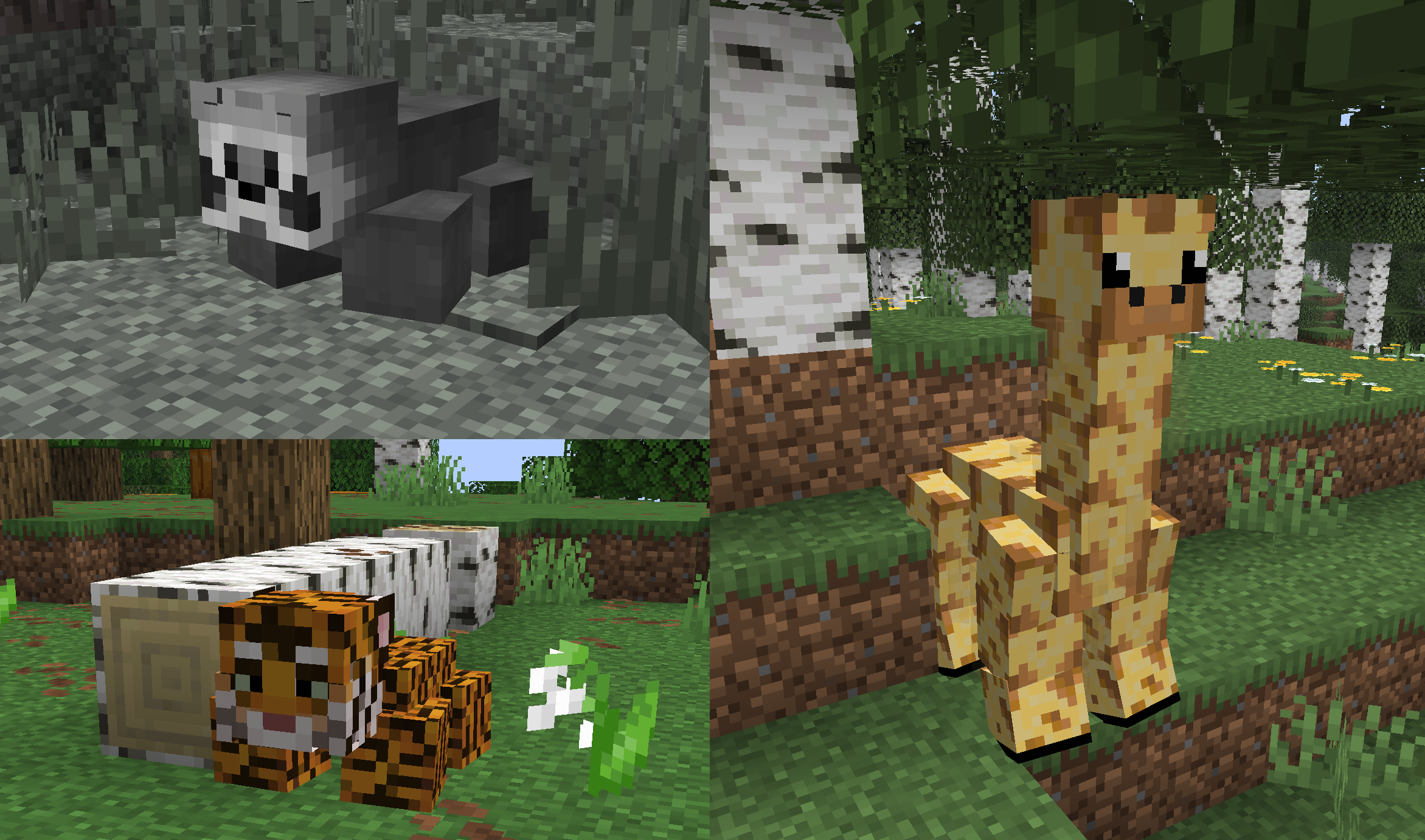
In addition to unique fish, there are also unique mobs that can be found in the various mine worlds. These mobs include raccoons, tigers, gorillas, raptors, and robots. Some are friendly and some are hostile. Challenge yourself to discover all the mobs and use /discoveries to track your progress. You will need to explore different biomes to find each one.
If you would like to bring one of these mobs to your home, you will not be able to use the mob net. Instead, you will need to purchase and redeem a Mythical Mob Crate key at /warp crates. You can breed dogs with bones and robots with iron ingots. You can breed giraffes, hippos, monkeys, raccoons, and turtles with wheat seeds.
🎮Games🎮
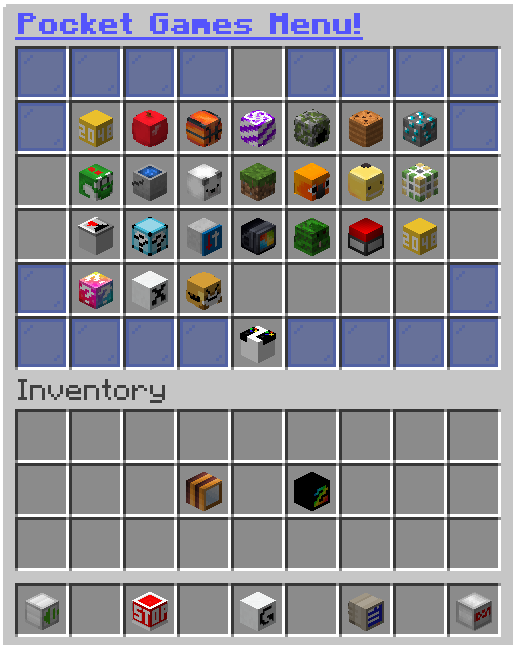
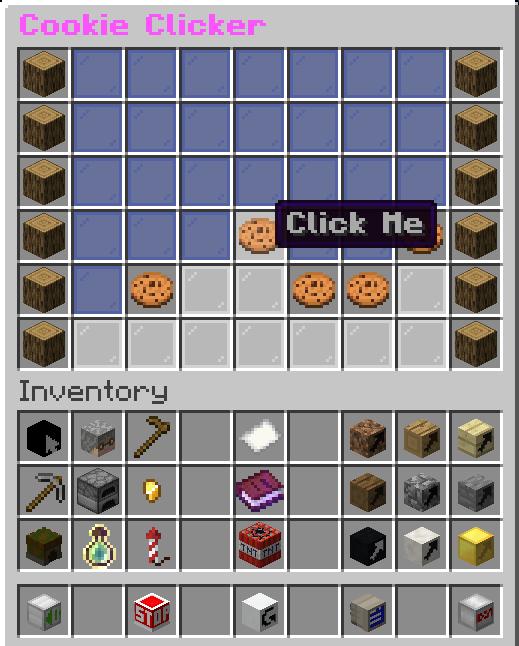
Once unlocked, access the single-player, multi-player, and spectate options with /pg. You will be invulnerable while you play! Earn PlayerPoints for the Gamer Quests and check out the high scores by right-clicking the game. Not available in the Mine World, Mine Nether, and Mine End.
●-----------------------------------------------------------------------------------------------------------------------------------------------------●
Player Progression & Ranks
📈Ranking System📈
Visit our Ranks page for a complete table of ranks, requirements, and rewards!
🛠️McMMO🛠️
McMMO enhances gameplay with RPG-style skill leveling. When you start mining, axing, or harvesting, your player will begin learning a new skill. After that skill is learned, you can start leveling up to gain passive abilities, like dodge or roll, and active abilities, like tree feller or super breaker. If you and your friends create a party, you will exponentially increase your McMMO experience when you work together. Most of the basic commands are listed in our Commands page (above). For a full list of commands, please visit https://wiki.mcmmo.org/en/Commands. Another great resource is https://mcmmo.fandom.com/wiki/McMMO_Wiki.

💼Jobs💼
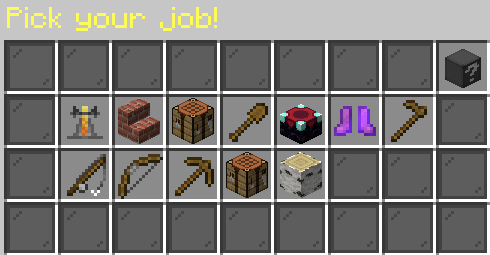
Join a job to earn extra money on the server. When you join the server, you can join 1 job. As you rank up, you can join multiple professions, up to all 12. As you level up in your job, your income rate increases. To maximize income, switch between professions to match your next personal task. Leaving a job does not reset your level, but you do lose some of your progress. Access everything using /jobsgui
Brewer | Builder | Crafter | Digger | Enchanter | Explorer | Farmer | Fisherman | Hunter | Miner | Weaponsmith | Woodcutter
●-----------------------------------------------------------------------------------------------------------------------------------------------------●
Rewards & Loot
🔑Crates🔑
Crate Keys reward you with money, valuable materials, unique items, or special enchanted items (see blow). Crates include: Vote, Quest, Rankup, Armor, Mobs, Mythical Mobs, Tools, and Weapons. Specific rewards include: Mob Nets, Chunk Claim Vouchers, Mob Spawn Eggs, and Mythical Mob Eggs. Armor, Tools, and Weapons come with special enchantments that start at level 1. Check out all the rewards and chances with /crates. If your inventory is full, you will get a virtual key instead of a physical key. Redeem at /warp crates!
✅Vote✅
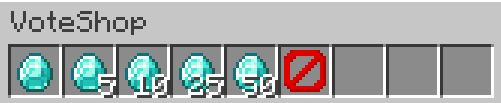
Enjoy playing on the server? Show your support by voting on server listing sites! Your vote helps other players discover the server and join our community. We offer a Vote Links page (above) to conveniently direct you to where you can vote. As a thank you, you will receive a Vote Crate Key and a Voting Point. Redeem your voting points for diamonds at /voteshop. As a server, every 50 votes will activate a Pinata full of cash and other prizes! When you see the alert, warp to the Pinata with /warp piñata.
If you would like to turn off broadcasts or reminders related to voting, you can use /votetogglebroadcast or /votetogglereminders. Access everything about voting with /vote.
🥚Mob Nets🥚
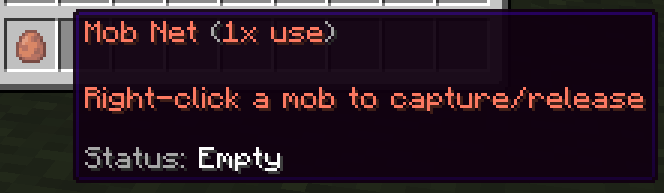
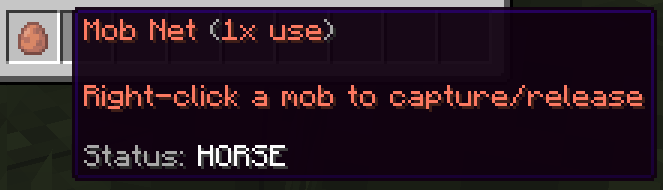
Mob Nets are a single-use tool that allow you to transport vanilla mobs without the need for a leash, boat, minecart, or pushing. While holding the mob net in your hand, right-click the mob you wish to capture in your net. When you get to your desired destination, put the net in your hand and right-click the air or a block to release. Mobs can be transported in your inventory across and between worlds. If you mouse over the mob net in your inventory, it will tell you if it is empty or which mob it currently has caught.
✨Special Enchantments✨
For Tools
- AutoSmelt (Max 5): Has a chance to smelt ore and drop more then one ore.
- Blast (Max 3): Breaks a 3x3 area of blocks. The higher the level, the more depth.
- Experience (Max 3): Has a chance to give you a lot more XP from block breaking.
- Furnace (Max 1): Always smelts your ores into ingots.
- GreenThumb (Max 3): When right clicking a seed with the hoe, has a chance to make it grow at the cost of durability.
- Harvester (Max 1): When harvesting crops, breaks sarrounding crops.
- HellForged (Max 4): Slowly repairs items while walking.
- Planter (Max 1): When tilling soil, it will automatically plant seeds from your hotbar.
- Telepathy (Max 1): When you break a block it will automatically go into your inventory.
- Tiller (Max 1): Increase the AOE of the hoe to 3x3.
- TreeFeller (Max 5): Cut down trees by breaking the bottom block.
- VeinMiner (Max 6): Mines multiple blocks from ore veins at once. The higher the level, the more depth.
For Weapons
- BattleCry (Max 5): During combat it has a 10%(+5% per level) chance to send nearby players flying backwards.
- Berserk (Max 3): Has a chance to give you strength and mining fatigue when fighting.
- Blessed (Max 3): Has a chance to remove all negative effects from the user.
- Boom (Max 3): Has a chance to spawn TnT where the arrow lands.
- DemonForged (Max 5): Higher durability damage.
- Doctor (Max 3): Has a chance to heal a player when hit.
- DoubleDamage (Max 3): Has a chance to deal double damage.
- Execute (Max 5): Has a chance to get strength when the enemy is low HP.
- FastTurn (Max 2): Has a chance to deal more damage.
- FeedMe (Max 5): Has a chance to feed the player while fighting.
- HellForged (Max 4): Slowly repairs items while walking.
- Inquisitive (Max 5): Has a chance to give a lot more XP.
- Lightning (Max 1): Has a chance to strike lightning where the arrow lands.
- LightWeight (Max 3): Has a chance to give the user haste.
- MultiArrow (Max 5): Has a chance to shoot multiple arrows.
- Nutrition (Max 3): Has a chance to feed you while fighting.
- Obliterate (Max 3): Has a chance to send your enemy flying backwards.
- Piercing (Max 3): Has a chance to deal double damage.
- Rage (Max 3): Does more damage the longer you fight an enemy.
- Rekt (Max 3): Has a chance to deal double damage.
- StickyShot (Max 3): Has a chance to spawn webs around the arror on impact.
- Vampire (Max 5): Has a chance to heal you by one heart when attacking.
For Armor
- Adrenaline (Max 3): Chance to get a huge speed boost when low on HP.
- Beekeeper (Max 2): Spawns in bees.
- Crouch (Max 3): While sneaking, take less damage.
- Cyborg (Max 1): Gives you speed, strength and jump boost.
- Drunk (Max 3): Gives you strength, mining fatigue, and slowness.
- Enlightened (Max 5): Has a chance to heal you when being attacked.
- Glowing (Max 5): Allows the user to see in the dark.
- Guards (Max 3): Spawns in an iron golem (+1 for every level) that will fight for you for one minute. Has a cool down of two minutes.
- HellForged (Max 4): Slowly repairs items while walking.
- Hulk (Max 2): Gives the player strength, damage resistance, and slowness.
- Implants (Max 5): Slowly feeds the player as they walk.
- Infestation (Max 2): Spawns in 3 silverfish and 3 endermites (+3 of each for every level) that fight with you for one minute. Has a cool down of two minutes.
- Insomnia (Max 1): Gives you confusion, mining fatigue, and slowness but gives you a high chance to deal double damage.
- Maneuver (Max 3): Has a chance to dodge an attack.
- Necromancer (Max 3): Spawns in 2 zombie (+2 for every level) that fight with you for one minute. Has a cool down of two minutes.
- Ninja (Max 2): Gives the player health boost and speed.
- Nursery (Max 5): Has a chance to heal you while walking.
- OverLoad (Max 5): Gives the player health boost.
- Rocket (Max 3): When the player is low on HP there is a chance they will fly backwards to escape battl.
- Savior (Max 3): Has a chance to cut incoming damage in half.
- SelfDestruct (Max 5): When the player dies it will cause an explosion.
- Springs (Max 5): Gives the player a small jump boost.
- SystemReboot (Max 5): An attack that would normally kill you can instead heal you to full HP.
- Tamer (Max 5): Spawns in a wolf (+1 for every level) that fight with you for one minute. Has a cool down of two minutes.
🚨Beacon Plus🚨
Elevate your base and maximize your productivity with Beacons Plus. This plugin expands the utility of the standard Beacon, allowing you to unlock a massive array of custom buffs, utility boosts, and defensive fields. By investing your Money, Experience, and Emeralds, you can transform a standard beam of light into the ultimate survival hub. Use /warp beaconplus to purchase your own!
⚡ Available Beacon Effects
Upgrading your beacon allows you to toggle a variety of powerful effects. These are categorized by their primary utility:
Combat & Defense
- Strength: Grants the Strength potion effect to nearby players.
- Resistance: Provides the Resistance buff for reduced incoming damage.
- Regeneration: Gradually restores health to players within the area.
- Immortality Field: Provides a % chance to prevent death when taking lethal damage.
- Peaceful: Prevents hostile entities from targeting or attacking players.
- Burner: Automatically ignites undead mobs (Zombies, Skeletons) even at night.
- Poison: Applies the Poison effect to nearby hostile monsters.
- Fire Extinguisher: Instantly puts you out if you are on fire.
Productivity & Farming
- Furnace Booster: Increases the smelting speed of nearby Furnaces.
- Crops: Accelerates the growth rate of all nearby crops.
- Spawners: Decreases the spawn delay for entities in nearby Mob Spawners.
- Fast Digging: Grants the Haste effect for rapid mining.
- Experience Booster: Multiplies all EXP gained within the beacon's range.
- Exp Gain: Passively generates experience for players standing inside the area.
- Auto Repair: Slowly repairs the durability of held or worn tools, weapons, and armor.
Movement & Utility
- Flying: Enables Creative-style flight while inside the beacon's radius.
- Speed: Increases movement speed for all nearby players.
- Jump: Grants the Jump Boost potion effect.
- Nightvision: Allows you to see clearly in total darkness.
- Water Breathing: Allows players to breathe underwater indefinitely.
- Invisible: Automatically turns players invisible while within the area.
- Gravity Well: Forces nearby entities to be pulled toward the beacon's center.
- Activator: Keeps the beacon's chunk loaded, even when players are absent.
Technical & Specialized
- Cure: Reduces the duration of negative status ailments (Nausea, Blindness, etc.).
- Luck (1.9+): Increases the Luck attribute for better loot tables.
- Slowdown: Applies a movement penalty to monsters within the area.
- Cooldown Reduction: Reduces the cooldown on items like Enderpearls.
- Scale: Increases the physical size of the player.
🛠️ Upgrading Your Beacon
Upgrades are not free! To access the higher-tier abilities listed above, you must interact with the beacon UI and spend:
- In-Game Currency ($)
- Experience Levels (XP)
- Emeralds
Global Upgrades
Aside from specific effects, you can also upgrade the beacon's core stats:
- Extra Power: Enhances the potency of active effects.
- Extra Range: Expands the block radius of the beacon's influence.
[!INFO] For more technical documentation or developer updates, please refer to the Official Plugin Wiki.
●-----------------------------------------------------------------------------------------------------------------------------------------------------●
Economy & Trading
🛒Shops🛒
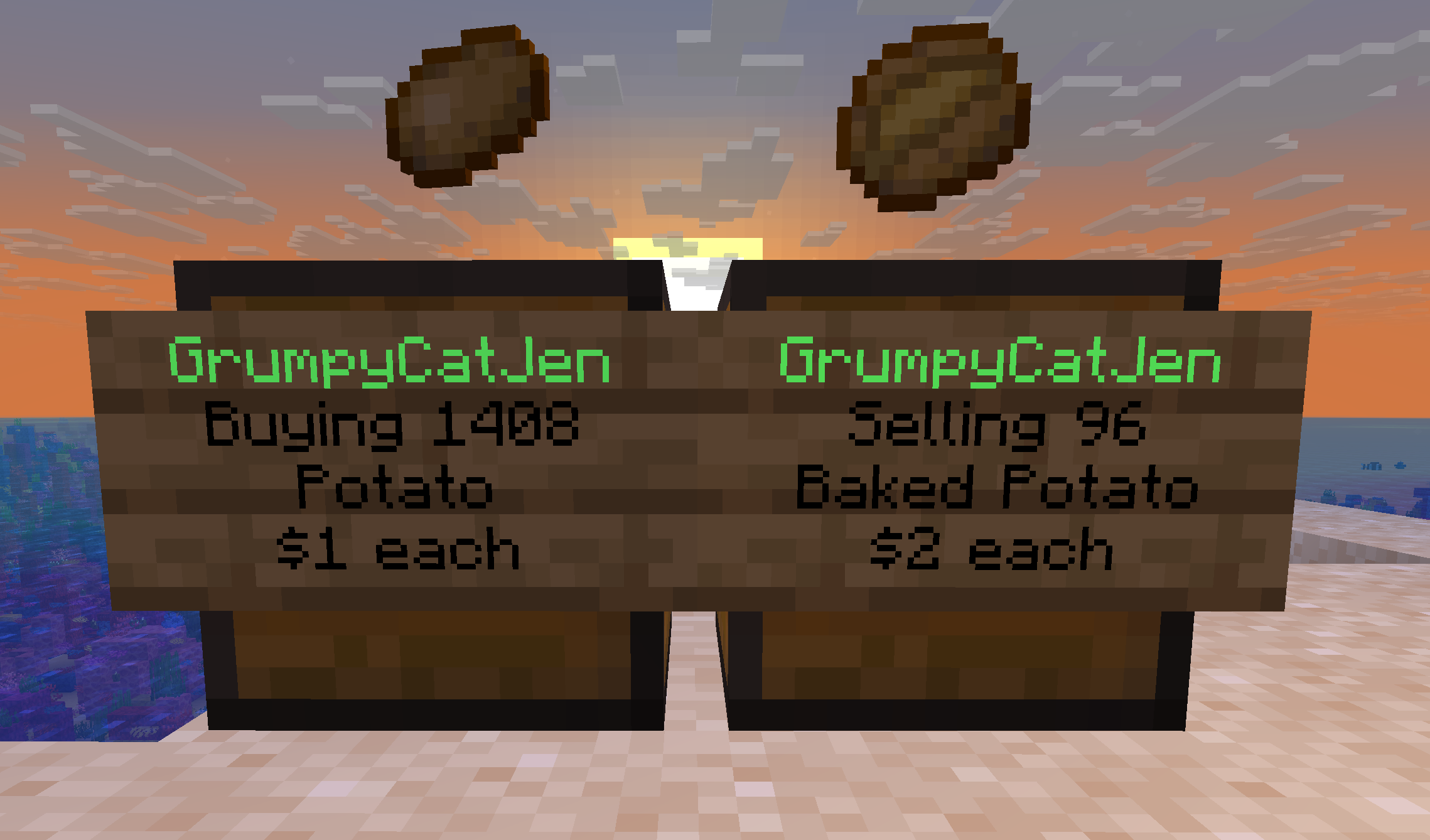
As a customer, you can buy or sell to other players through shops. They are chests with a sign in front detailing whether the player is buying or selling, the name of the item, and the price. Right-click the sign to see more details, like item enchants. Left-click the sign to start a transaction. Enter in chat the quantity desired. You will find shops for Heirloom seeds at /warp heirloom and shops for crate keys at /warp crates.
Once unlocked, you can set up your own shops! Creating a shop will cost $1,000 each.
- Place a chest (or double chest).
- Left-click the chest with the item you wish to buy/sell.
- Enter the price in chat.
- Right-click the chest to open and stock your shop.
To open the shop control panel, right-click the sign. This is where you can change it from Selling to Buying, update the price, or to remove the shop.
🌀Player Warps🌀
Once unlocked, create your own warp by standing at the desired point and using /pw create [name]. Add managers with /pw managers set [name] [player] or transfer ownership with /pw setowner [name] [player]. Rent is $1,000 per 7 days. More commands include:
- /pw desc set [name] [description]
- /pw category set [name] [category]
- /pw icon set [name]
- /pw cost set [name] [amount]
- /pw reset [name]
- /pw rename [name] [newname]
●-----------------------------------------------------------------------------------------------------------------------------------------------------●
Customization & Expression
🗿Armor Stands🗿
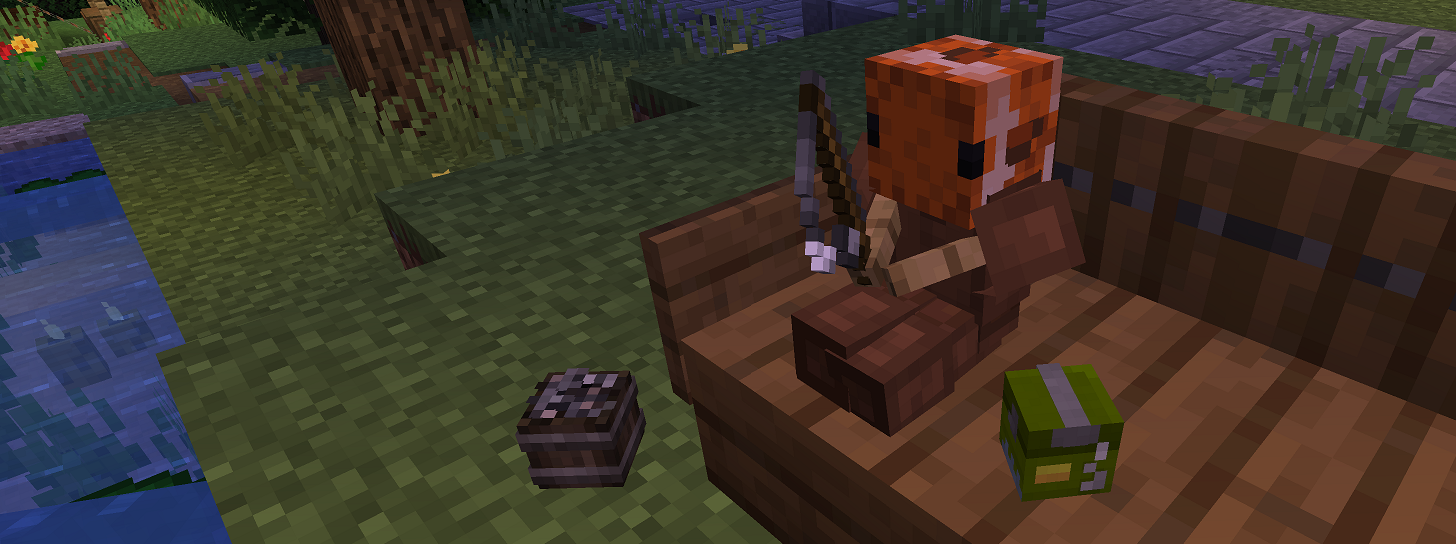
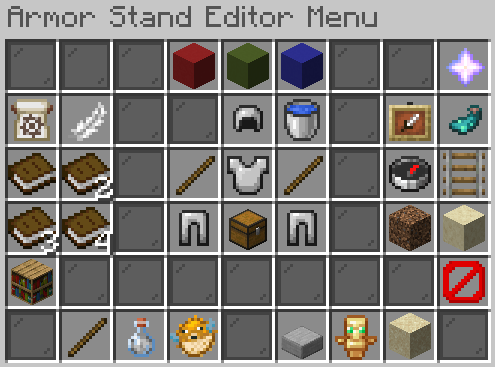
Once unlocked, you can customize armor stands to create statues, sculptures, decorations, furniture, and more. Combine with skulls for endless possibilities! Hold flint in your hand, click away from the stand to open the menu, and click the armor stand to apply your options. Some of the features you can change include:
How: Rotate/Move by X, Y, or Z | Large Adjustment | Tiny Adjustment
What: Rotate Armor Stand | Rotate Body Parts Independently | Move Armor Stand | Make Big or Small | Toggle Visibility | Toggle Glow | Toggle Gravity | Toggle Arms | Toggle Base Plate | Item Frame Visibility
💀Skulls💀
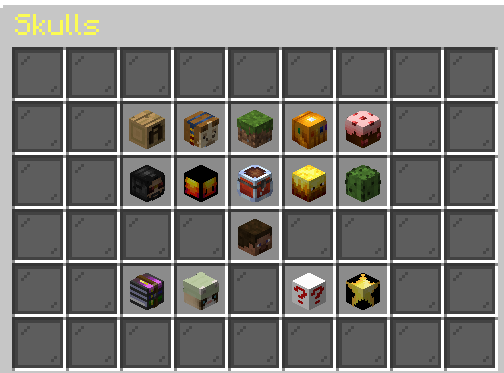
Once unlocked, enhance your builds and decor by purchasing skulls made to look like different people or objects. Access the shop with /skulls. You have the option to search for something specific and to add skulls to your favorites list.
🏷️Colors and Tags🏷️
As a ❤ Supporter, you will be able to customize with colors and tags.
- You can set a nickname for yourself and spruce it up with Minecraft colors, RGB (Hex Code) colors, or magic!
- You can private message players with: Minecraft colors, RGB (Hex Code) colors, or magic!
- You can send a global chat with: Minecraft colors, RGB (Hex Code) colors, or magic!
- You can create and edit signs with: Minecraft colors, RGB (Hex Code) colors, or magic!
- Create and set a custom tag:
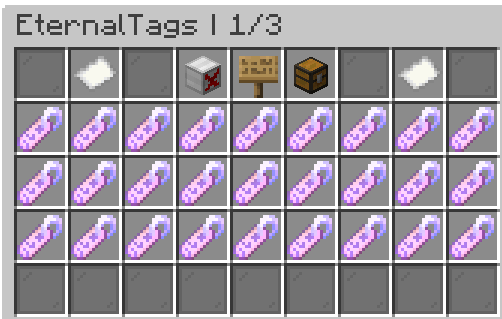
- /tags - Access the EternalTags GUI where you can browse, favorite, and set your current active tag.
- /tags search [keyword] - See if there is an existing tag you like based on a keyword.
- /tags favorite - Mark a tag as your favorite so you can quickly access it from the EternalTags GUI
- /tags create [nameoftag] [customtag]- Create a tag for the server using colors, symbols, gradients, and other formats!
- <gradient:#FFFFFF:#000000>ExampleGradientTag
- <r:0.7>ExampleRainbowTag
- /tags set [nameoftag] - Set your current active tag.
- /tags clear - Clears your current active tag.
●-----------------------------------------------------------------------------------------------------------------------------------------------------●
Social Interactions & Role Play
🙌Be Social🙌
Once unlocked, interact with players with commands like
- /poke
- /handshake
- /highfive
- /hug
- /cuddle
- /pet
- /kiss
- /lick
- /slap
If you do not want to participate, do /besocial leave. Block players with /besocial ignore [playername]
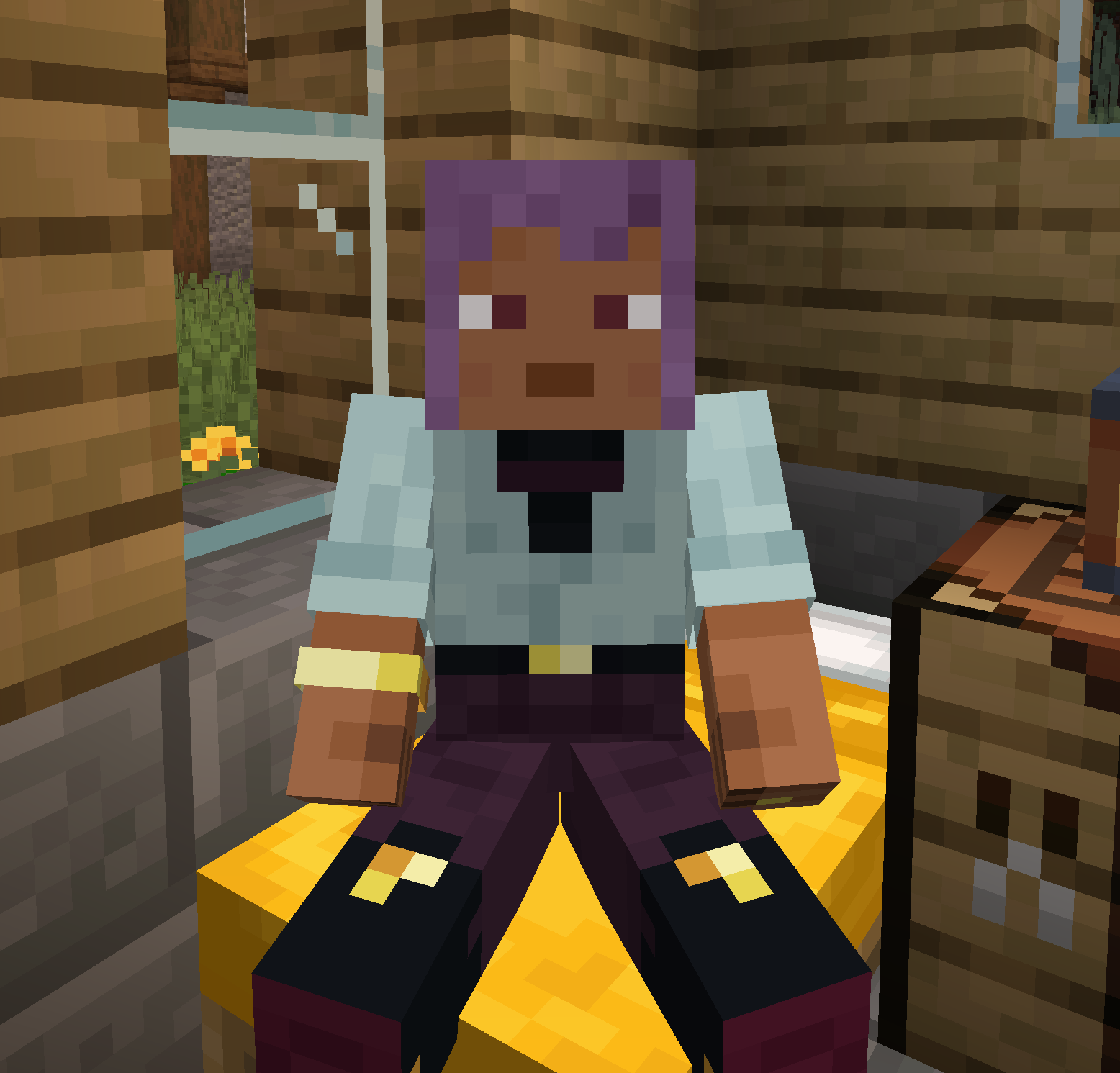
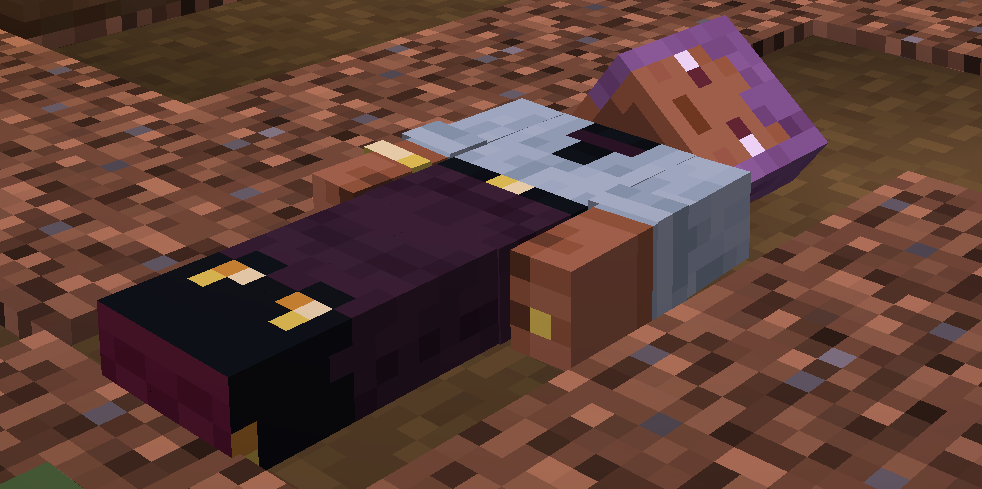
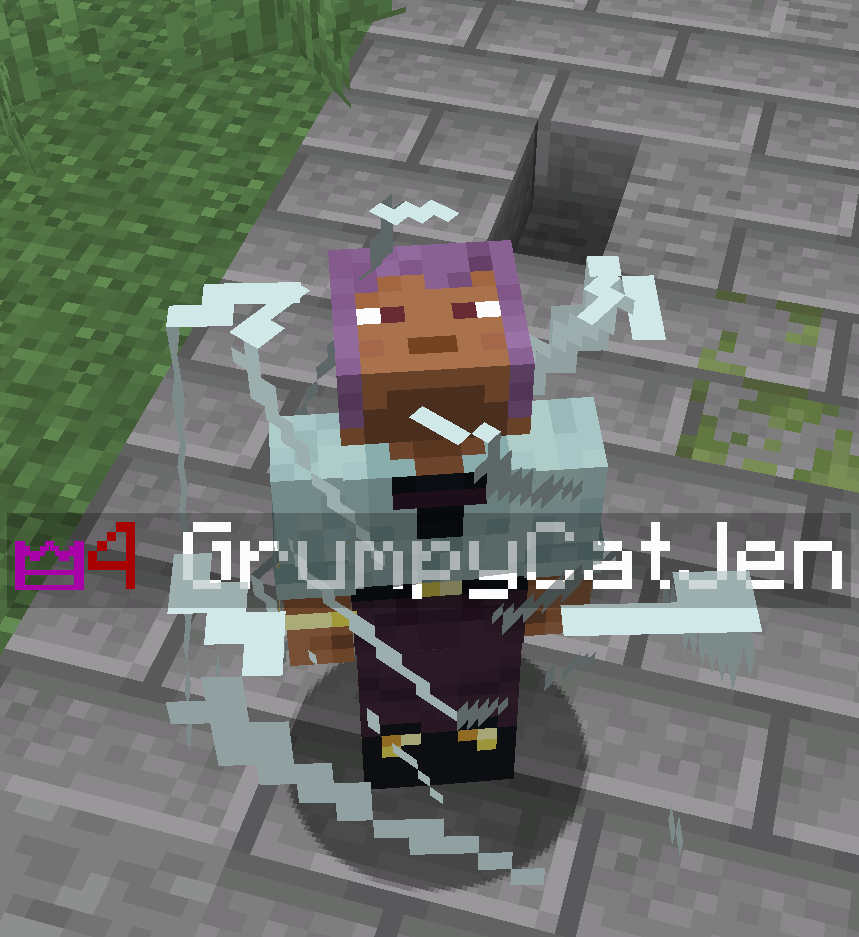
🪑Sit, Lay, Crawl🪑
Once unlocked, interact differently with the world using
- /sit
- /lay
- /crawl
- /bellyflop
- /spin
Right-click blocks or players to sit, or toggle off with /sit toggle and /sit playertoggle. Not available in the Mine World, Mine Nether, and Mine End.
●-----------------------------------------------------------------------------------------------------------------------------------------------------●
Utilities & Quality of Life
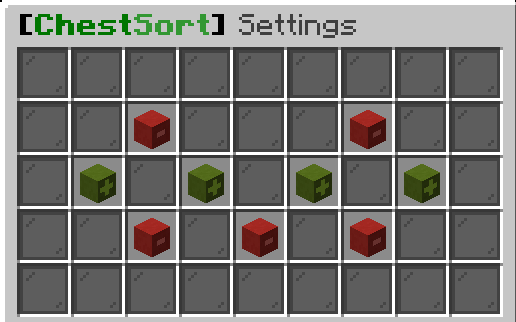
🔀Sort Chests & Inventory🔀
Once unlocked, you can sort chests, inventory, and the hot bar. You can configure your settings for automatic sorting or your preferred hot keys in the GUI using /sort. Items will be sorted by category, alphabetically, by color, and by material. Items that can be stacked will be stacked. Chest sorting is inclusive of enderchests, shulker boxes, and barrels.
🛗Elevator Signs🛗
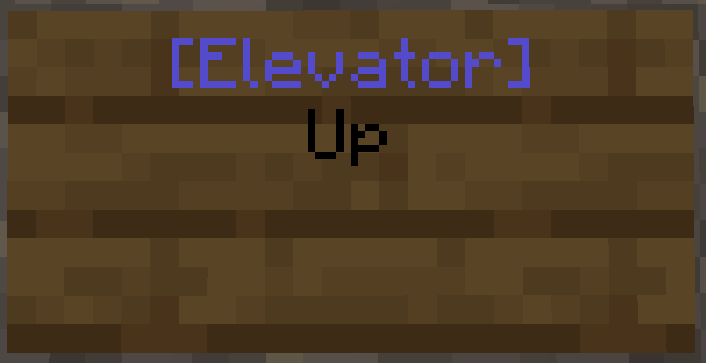
As a user, click on an elevator sign to instantly teleport up or down. Once unlocked, you can create elevators in your own base. Put [Elevator] on the first line and Up or Down on the second. Right-click with honeycomb to prevent editing of the sign.
📢Announcements📢
Once unlocked, you can disable the server announcements to make them less distracting to your gameplay. Just use /fa disable or /fa enable.
📊Scoreboard📊
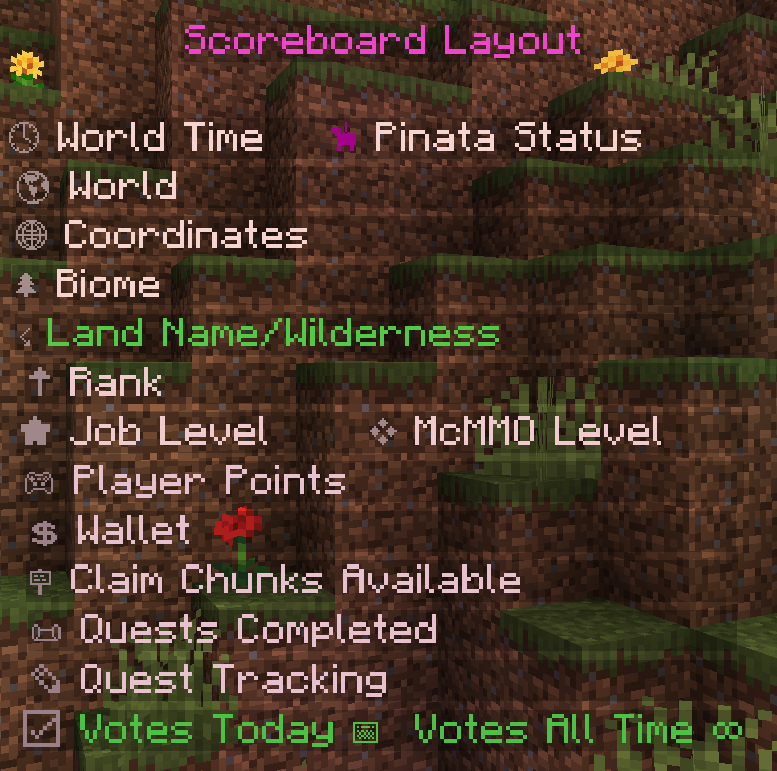
Once unlocked, you can hide the scoreboard on the right-hand side of the screen. Just use /stoggle.